

Introduction
According to Semrush’s 2025 Website Health Benchmark Report, 72% of websites fail at least one critical technical SEO factor, directly impacting crawlability, indexation, and search visibility.
This isn’t a small issue—Google increasingly rewards websites that load fast, structure data correctly, and offer error-free technical performance.
Due to this transformation in the trade to technical superiority, companies are doing technical audits more often. This guide explains how to carry out a website audit, which will be the best SEO audit tools to use, and a complete technical SEO checklist to keep your site healthy and ranking.
Why Technical SEO Is Important in 2026 More Than Ever
Search behavior transformed in 2025. With Google’s advancements in crawl efficiency and SERP competition steepening, websites with technical flaws are being pushed down faster. Additionally, Backlinko’s 2025 analysis shows that proper technical optimization increases organic traffic by 30% on average.
So, companies cannot rely only on content and backlinks. By implementing technical SEO, your site can be understood, crawled, and ranked effectively by Google. Without this, your whole content strategy collapses, no matter how good your articles are.
In the future, as AI content acceptance grows, Google will heavily influence technical measures to distinguish authenticity and merit. An optimized site generates trust and quality signals.
What Is a Technical SEO Audit?
A technical audit of your website examines your website’s health. It can find errors that might stop your website from being crawlable, after which it finds performance-affecting errors that hamper your rankings. Consider it a complete check-up of your website, which helps to know about what’s broken, what’s slow, and what’s blocking visibility.
A reliable technical audit will make sure that the indexing, site structure, page speed, mobile readiness, schema, and security are working fine. So that Google can see, comprehend, and index everything that’s on your site. It helps business owners make informed choices on technology, design, and UX. When done correctly, it helps in enhancing conversions and user satisfaction over time. It also reveals problems businesses may not see, which is fundamental to any SEO strategy.
Complete Technical SEO Checklist (2026 Updated)
This technical SEO checklist gives you every item to inspect when running your website audit:
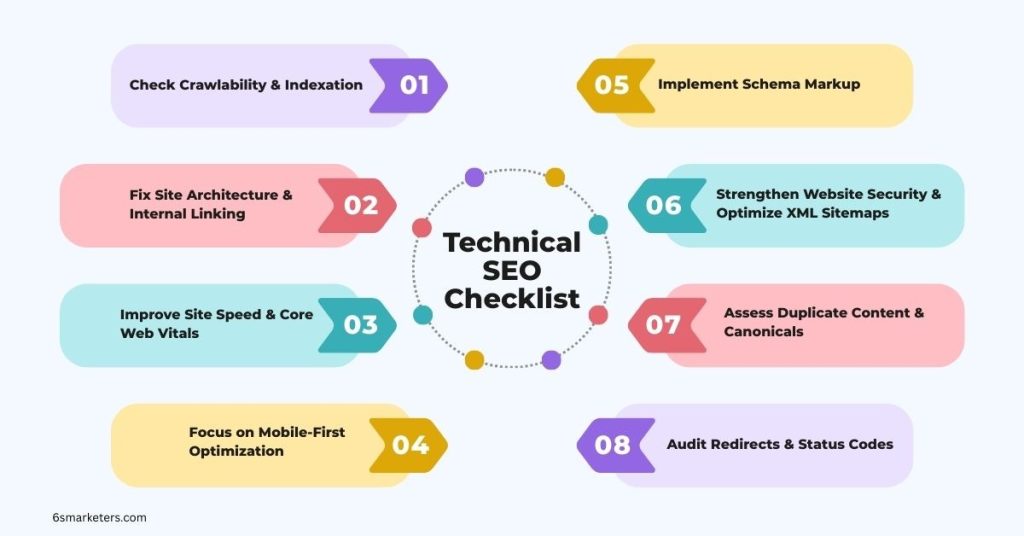
1. Check Crawlability & Indexation
Ensure Googlebot can access and index your key URLs.
- Inspect robots.txt for accidental blocks
- Review noindex tags
- Check sitemap health and submission
- Verify pages indexed via Google Search Console
Most websites unknowingly block important pages. A simple crawl test can reveal this quickly.
2. Fix Site Architecture & Internal Linking
Google relies heavily on logical structures.
- Create a clean URL hierarchy
- Maintain flat architecture
- Strengthen contextual internal links
- Avoid orphan pages
This helps Google discover deeper pages faster and improves authority flow.
3. Improve Site Speed & Core Web Vitals
Speed is no longer optional.
- Reduce server response time
- Optimize images
- Eliminate unused scripts
- Improve CLS, FID, and LCP metrics
Slow sites lose traffic, conversions, and rankings—especially on mobile.
4. Focus on Mobile-First Optimization
Mobile-first indexing is still a top priority. Validate mobile usability via:
- Responsive layout checks
- Tap target spacing
- Mobile page speed
- Content consistency
5. Implement Schema Markup
Search engines understand your pages better if you implement structured data.
- Add relevant schema types
- Validate with Rich Results Test
- Avoid schema spam
Schema increases click-through rates and eligibility for rich snippets.
6. Strengthen Website Security
Google emphasizes safe browsing experiences.
- Ensure HTTPS
- Check SSL configuration
- Fix mixed content
- Monitor security vulnerabilities
7. Assess Duplicate Content & Canonicals
Duplicate content confuses search engines.
- Apply canonical tags
- Remove duplicate parameters
- Consolidate similar content
- Audit pagination
8. Optimize XML Sitemaps
- Ensure it includes only indexable pages
- Update after major site changes
- Submit via Search Console
9. Audit Redirects & Status Codes
- Identify 404s, 302s, and redirect chains
- Use proper 301 redirects
- Fix broken internal links
Redirect issues weaken authority flow and reduce crawling efficiency.
If you want a done-for-you technical SEO audit, 6S Marketers can analyze your site, fix issues, and optimize your website for maximum performance.
Connect with us for a Website audit consultation.
Technical SEO Tools You Need for a Strong Audit
You don’t need 50 tools to perform a strong audit. You only need the right ones. Here are the most effective SEO audit tools trusted by agencies worldwide:
1. Google Search Console
A free essential tool for indexing, coverage, and performance insights. Google Search Console identifies crawl errors, indexing problems, Core Web Vitals issues, and keyword performance.
2. Screaming Frog SEO Spider
Screaming Frog is one of the most powerful crawling tools for:
- URL structure
- Status codes
- Redirect chains
- Meta data
- Canonicalisation
- Orphan pages
It gives a full bird’s-eye view of your website’s technical state.
3. Semrush Site Audit Tool
Semrush provides detailed site health scores, broken links, schema issues, and Core Web Vitals reports. It’s perfect for businesses that need an ongoing monitoring system.
4. Moz Pro Site Crawl
Moz offers an easy-to-understand audit dashboard, tracking:
- Crawl depth
- Redirects
- Duplication
- Missing meta data
5. PageSpeed Insights
Essential for diagnosing performance metrics and rendering issues. PageSpeed Insights shows mobile and desktop breakdowns along with actionable recommendations.
These tools give you everything you need to run a complete website technical audit without guesswork.
How to Audit a Website (Step-by-Step Process)
Here’s a simple and instructive process for beginners and businesses:
Step 1: Start With a Full Crawl
Use Screaming Frog or Semrush to crawl your entire website.
This reveals duplicate content, slow pages, missing metadata, and canonical issues.
Step 2: Review Indexation in Google Search Console
Check how many URLs are indexed versus submitted. Identify exclusions such as:
- Crawled but not indexed
- Alternate pages with canonical
- Blocked by robots.txt
Step 3: Check Site Speed
Run your top pages through PageSpeed Insights and Lighthouse audits. Identify heavy scripts, unoptimized media, and layout shifts.
Step 4: Evaluate Mobile Performance
Use Google’s Mobile-Friendly Test. Ensure proper responsive design, fast loading, and consistent content.
Step 5: Validate Schema
Use Google’s Rich Results Test and Schema Validator. Make sure your structured data follows Google’s guidelines.
Step 6: Fix Broken Links & Redirects
Check for internal and external 404s and redirect loops. Use 301 redirects to preserve link equity.
After completing these steps, your website will be significantly more search-friendly and future-ready.
Need Help? 6S Marketers Can Handle Your Full Technical SEO Audit
Whether your website is 10 pages or 10,000 pages, we offer structured technical audits, fixes, and long-term monitoring. Let’s talk.
Final Technical SEO Checklist Summary
Here is a quick recap of the essentials:
- Crawlability and indexing must be error-free.
- Site architecture needs to be clean and well-linked.
- Core Web Vitals must remain within Google’s ideal metrics.
- Mobile performance is non-negotiable.
- Schema markup enhances search visibility.
- Broken links, redirects, and duplicate content should be fixed immediately.
- Speed optimization should remain ongoing due to shifting device standards.
A technically strong site ranks faster, converts better, and provides a smoother user experience.
Conclusion
Technical SEO is essential for achieving sustainable organic growth in 2026 and beyond. Websites with strong technical structure outperform their competitors in rankings, traffic, and conversions, as highlighted by multiple industry benchmarks.
If you wish for your business to remain visible, credible, and competitive, a professional Technical SEO Audit is no longer an option but a necessity.
The organization 6S Marketers offers services like a technical audit, core web vitals optimization, speed improvement, schema implementation, and site-structure improvement.
Connect with 6S Marketerstoday to improve your technical SEO performance.5. Does technical SEO improve rankings?