

If your website not showing up on Google, this is a common issue many brands face. According to Search Engine Land, your website is not ranking because of the blind spots you missed. That could be technical, the content is not answering what the people are searching for, or the signals that confuse Google as to whether to trust you.
Google tackles over 8.5 billion searches per day. With this huge search volume, the pages that are precisely clear, unique, useful, and credible only stay on top of the search results. Therefore, your website should make it clear what it offers and why it matters.
Google’s Helpful Content and Core Updates now evaluate how well a page serves real users, not how well it manipulates algorithms. When the clients ask, “Why is my website not ranking on Google?”, the answer is in something that you can actually solve.
In this guide, we will explore 15 real, proven reasons your website is not ranking on Google, how to identify the issue, and explain how SEO professionals fix it.
Why Is Your Website Not Showing up on Google?
Your website not showing up on Google because Google is unable to figure out what your business is about, doesn’t trust your page, or can’t recognize if your content is actually valuable to the user. This usually happens because of technical errors, weak content relevance, low credibility signals, or poor user experience.
Key Takeaways
- Why your website is not showing in Google search despite being live
- The exact technical, content, and credibility gaps holding rankings back
- How Google interprets pages differently from humans
- How to diagnose ranking issues with professional SEO tools
- A final checklist to fix visibility issues permanently
15 Reasons Your Website Isn’t Ranking on Google
Technical Issues That Block Visibility
1. Your Pages Are Not Indexed
If my website is not showing up on Google, indexing often causes the issue. Google can’t rank what it can’t see, if your pages are mistakenly blocked by noindex tags, robots.txt, or incorrect canonical tags that never appear in search results.
Search Console reveals indexing gaps clearly, yet many businesses never check it.
2. Slow Page Speed Is Hurting Rankings
Google confirms that page experience affects rankings. Slow load times increase bounce rates and reduce crawl efficiency. No potential customer likes to wait for a slow website. People will hit the back button. Google observes this and stops showing this to the people.
Speed affects both users and search engines simultaneously.
3. Poor Mobile Experience Limits Reach
Google uses mobile-first indexing. A broken mobile layout sends negative usability signals. If mobile users struggle, rankings drop—even if desktop performance looks fine.
Content Reasons Your Website Is Not Ranking on Google
4. Content Does Not Match Search Intent
Google ranks relevance, not effort. If the content answers a different question than the user asked, rankings never stabilize. Many sites rank poorly because the intent is informational, while the content sells aggressively.
Alignment always wins.
5. Content Lacks Depth and Original Insight
Thin pages fail to compete. Google supports pages that explain why, how, and what’s next. Pages repeating surface-level advice rarely rank.
Authority comes from clarity, not length.
6. Keyword Usage Feels Forced or Missing
If my website is not showing in Google search, keyword placement may feel unnatural or incomplete. Google expects context-rich usage, not repetition.
Balanced keyword usage improves comprehension for machines.
Credibility Reasons Google Withholds Rankings
7. No Clear Expertise or Author Authority
Google’s EEAT framework values experience and trust. Anonymous content without credentials weakens credibility signals, especially for business-focused searches.
Clear authorship builds confidence.
8. Weak Backlink Profile
Backlinks remain trust indicators. A site without authoritative references struggles to rank, even with strong content. Google reads backlinks as endorsements.
Quality always outweighs quantity.
9. Inconsistent Brand Signals
If brand mentions, NAP details, and trust elements vary across platforms, Google doubts legitimacy. Consistency supports authority recognition.
10. Poor Internal Linking Structure
Google follows links to understand hierarchy. Pages without internal links remain isolated and undervalued.
Strategic linking distributes authority.
11. Less User Engagement
Google watches how people use your page. Do they dwell a long time, or do they bounce back immediately, pogo-sticking, and exhibit interaction patterns? Pages that fail to retain users struggle to rank consistently.
User satisfaction shapes visibility.
12. Duplicate Pages
If you are targeting the same keyword for multiple pages, it confuses Google. Cannibalization separates ranking signals and reduces clarity.
One strong page beats many weak ones.
13. Your Website Sends Mixed Topical Signals
Google ranks pages that show a clear topical focus. When a site publishes unrelated content or targets too many keywords without a defined theme, Google struggles to understand authority.
A scattered content strategy often explains why my website is not showing in Google search for important business keywords. Focused topical clusters improve relevance and ranking consistency.
14. Your Pages Lack Clear Conversion and Engagement Paths
Pages without clear next steps fail to retain users. When visitors do not scroll, click, or interact, Google detects weak satisfaction signals.
Clear CTAs, logical flow, and internal links improve engagement, which supports rankings and visibility in competitive searches.
15. Outdated SEO Strategy Practices
SEO evolves much faster than most businesses adapt. Tactics that were effective years ago, like keyword stuffing, low-quality backlinks, or generic content, now crush rankings.
Current SEO looks at helpfulness, experience, and clarity. Outdated approaches often explain why a website not ranking on Google stays invisible despite effort.
Need help with an effective SEO strategy? Talk to our SEO experts today!
Your Website Ranking Checklist: Issues, Problems & Impact
| Issue Category | Common Problem | SEO Impact |
| Technical SEO | Slow page load speed (3+ seconds) | High – Google prioritizes fast sites; slow speeds increase bounce rates and hurt rankings across all pages |
| Technical SEO | Mobile responsiveness issues | Critical – Google uses mobile-first indexing; non-mobile-friendly sites face severe ranking penalties |
| Technical SEO | Broken links and 404 errors | Medium – Disrupts crawl budget, creates poor user experience, and weakens site authority |
| Technical SEO | Missing or incorrect robots.txt/sitemap | High – Prevents Google from crawling and indexing important pages, making them invisible in search |
| Content Quality | Thin or duplicate content | High – Google filters out low-value pages; duplicate content causes indexing confusion and keyword cannibalization |
| Content Quality | Lack of target keywords in content | High – Without proper keyword optimization, Google can’t match your pages to relevant search queries |
| Content Quality | Outdated or irrelevant content | Medium – Reduces dwell time and engagement signals; Google favors fresh, relevant content |
| On-Page SEO | Missing or poorly optimized title tags and meta descriptions | High – Critical ranking factors; poor optimization reduces click-through rates from search results |
| On-Page SEO | No internal linking strategy | Medium – Limits crawlability, dilutes page authority distribution, and reduces topical relevance signals |
| On-Page SEO | Missing alt text for images | Low-Medium – Reduces accessibility and image search visibility; minor direct ranking impact |
| Authority & Links | Insufficient backlinks from quality sites | Critical – Backlinks remain a top-3 ranking factor; low domain authority makes competing for keywords nearly impossible |
| Authority & Links | Toxic or spammy backlink profile | High – Can trigger Google penalties; association with low-quality sites damages domain reputation |
| Indexing Issues | Pages blocked from indexing (noindex tags) | Critical – Prevents pages from appearing in search results entirely; often an overlooked configuration error |
| User Experience | High bounce rate and poor engagement | Medium-High – Behavioral signals indicate content doesn’t match search intent; Google demotes unsatisfying results |
| Competition | Targeting highly competitive keywords without authority | High – New or low-authority sites can’t realistically rank for competitive terms; wastes SEO efforts on impossible targets |
This table provides a clear framework, organizing the ranking issues into logical categories while explaining their relative importance to business.
How to Identify Ranking Issues Precisely
Diagnosis replaces assumptions. Google Search Console highlights indexing, performance, and coverage errors. Google Analytics helps with user behavior trends that affect rankings.
Professional SEO audits use both data sources to determine root causes.
Important SEO Tools to Track and Improve Rankings on Google
- Google Search Console for visibility and indexing
- Google Analytics 4 for engagement tracking
- Screaming Frog for technical audits
- Ahrefs or Semrush for backlink and keyword analysis
These tools convert confusion into clarity.
Final SEO Checklist to Fix Ranking Problems
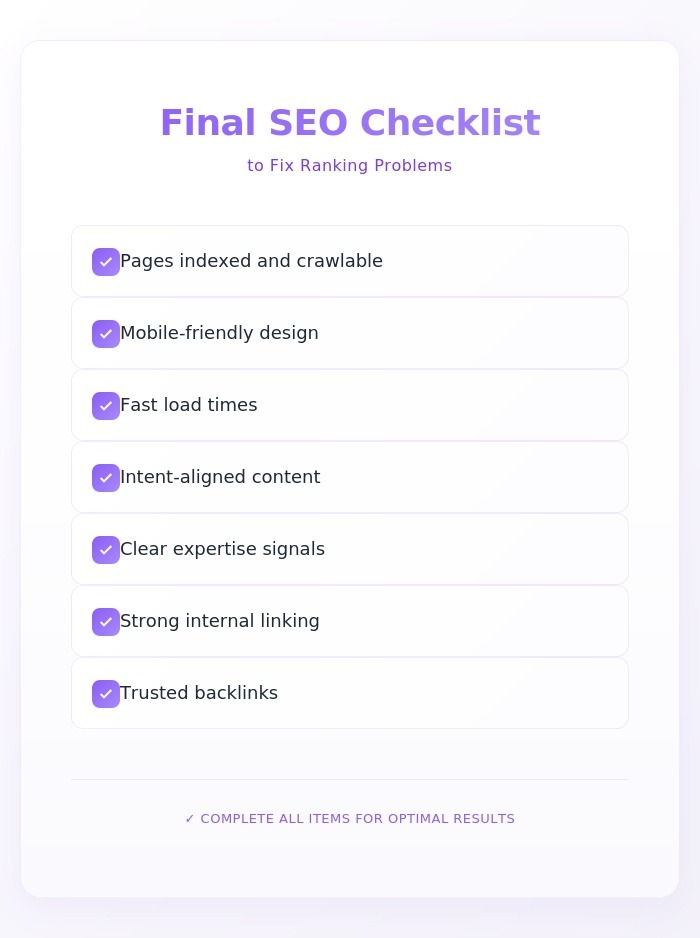
- Pages indexed and crawlable
- Mobile-friendly design
- Fast load times
- Intent-aligned content
- Clear expertise signals
- Strong internal linking
- Trusted backlinks
Consistent execution drives results.
If your website is not showing in Google search, it impacts leads and revenue; guessing stops working. 6s Marketers delivers data-backed SEO strategies that fix technical gaps, strengthen credibility, and align content with buyer intent.
From audits to long-term growth strategies, we help businesses rank with confidence.
👉 Connect with us today and turn visibility into growth.
External Reference
Why Page Is Not Ranking on Google
FAQs
1. How long does it take for a website to rank on Google?
Most websites see meaningful movement within 3 to 6 months after consistent SEO improvements.
2. Does website traffic increase Google ranking?
Traffic itself does not rank pages, but positive engagement signals support ranking stability.
3. How to increase the ranking of a website?
Improve technical health, align content with intent, build credibility, and track performance continuously.
4. Why is my website not ranking on Google?
Your website not ranking on Google because Google lacks clarity, trust, or validation signals from your site.